Educators are faced with the transition from tape based video cameras to tapeless. Flip video type cameras are great for the history teacher but CTE teachers need to give their students experience working with industry standard tools. Digital SLR or DSLR cameras are the current camera of choice for most independent video producers. In this workshop I would like to give educators a hands-on experience using the cameras, lenses, accessories and then working with the files using Adobe Premiere Pro.
Participants will be able to focus on a range of learning objectives that include:
· Tips on using the menus, settings and file format options of a DSLR
· Tips on using a variety of lenses, F-stop, shutter speed, ISO and focusing techniques
· Tips on managing file transfer and editing HD footage with Adobe Premiere Pro
This workshop utilizes both hands-on instruction and self-guided modules that include templates, handouts, examples and step-by-step video tutorials. This approach individualizes instruction and allows users to move at their own pace and maximizes the instructor interaction with the participants because they can focus on their own instructional needs. These materials are all copyright free and can be used by the participants in their own classrooms.
Workshop Handout (pdf)
Participants will be able to focus on a range of learning objectives that include:
· Tips on using the menus, settings and file format options of a DSLR
· Tips on using a variety of lenses, F-stop, shutter speed, ISO and focusing techniques
· Tips on managing file transfer and editing HD footage with Adobe Premiere Pro
This workshop utilizes both hands-on instruction and self-guided modules that include templates, handouts, examples and step-by-step video tutorials. This approach individualizes instruction and allows users to move at their own pace and maximizes the instructor interaction with the participants because they can focus on their own instructional needs. These materials are all copyright free and can be used by the participants in their own classrooms.
Workshop Handout (pdf)
CineStyle - Technicolor
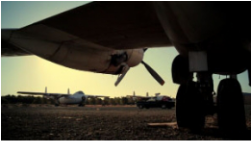
Drawing on its century of experience as creator and definer of color standards for film makers around the world, Technicolor has created CineStyle – a picture style profile for DSLR cameras that allows users to shoot cinematic quality video in a color logarithmic mode. Using its color science technology and expertise, CineStyle can be downloaded as a unique ‘Picture Style’ onto high-end DSLRs, putting the tools for almost infinite color control directly back into the hands of the film maker.
The Guerrilla Guide To Moviemaking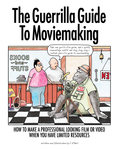
The Guerrilla Guide To Moviemaking, "How to make a professional looking film or video when you have limited resources", RIck Bell, ISBN 9780615457000
|
School Video News ArticlesI will be writing a series of articles on DSLR Video in the classroom for School Video News.
December: "DSLR in the Classroom: An Introduction" January: Gear Recommendations Febuary: Cameras and Lenses March: Sound April: Manual Focus |
DSLR Cinematography Guide
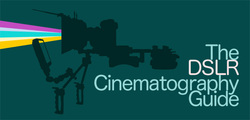
While researching this topic I came across a great resource I wanted to share with you. Koo manages a blog calle "NofilmSchool" and offers a free pdf version of his DSLR Cinematography Guide at: http://nofilmschool.com/dslr/ I downloaded this to my iPad thinking it would make an interesting way to kill some time at the next faculty meeting but it quickly became my primary source for information on this topic. It is well worth the time for both instructors and students.
Classroom Management Tips
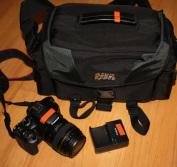
* Always purchase a UV filter for every lens that you purchase just to protect your investment.
* Purchase a handful of cheap SD card readers.
* Label everything in each kit with colored electrical tape (camera, charger, lens cap and the camera bag)
*Purchase "Class 10" SD cards. Get at least two 8 gb cards for each camera. Better than one 16 gb card!
*Purchase an extra Canon battery for every camera. Be aggressive about getting the students to charge them!
* Purchase a 15-25 foot HDMI to Mini HDMI cable to connect your camera to your projector/TV
* Purchase a handful of cheap SD card readers.
* Label everything in each kit with colored electrical tape (camera, charger, lens cap and the camera bag)
*Purchase "Class 10" SD cards. Get at least two 8 gb cards for each camera. Better than one 16 gb card!
*Purchase an extra Canon battery for every camera. Be aggressive about getting the students to charge them!
* Purchase a 15-25 foot HDMI to Mini HDMI cable to connect your camera to your projector/TV

Joe Dockery | [email protected] | 425-831-8126
Mount Si High School | CTE Digital Media Teacher
Mount Si High School | CTE Digital Media Teacher